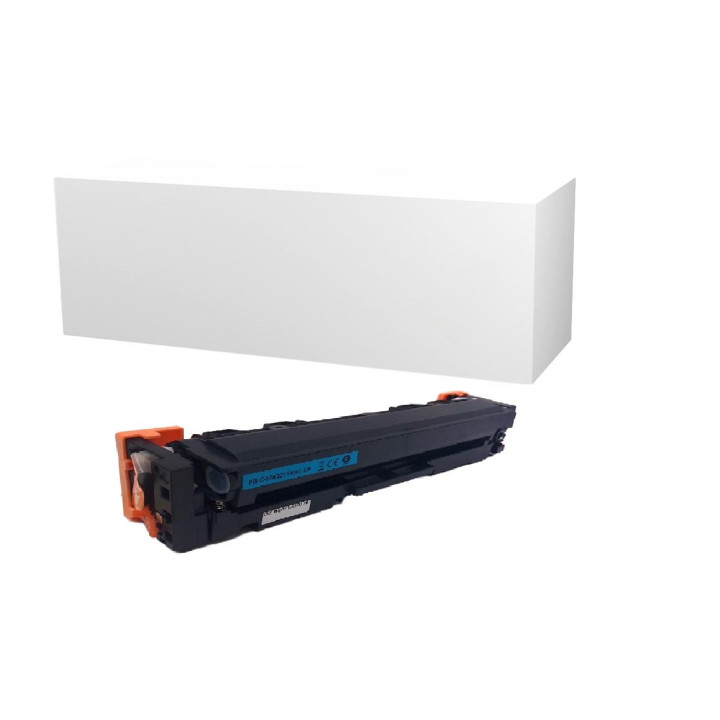
Toner for HP W2211X (207X) Cyan | Premium Class – Increased Performance XL | No Chip version
Reduce the costs of everyday color printing while maintaining uncompromising business quality and perfect clarity for every presentation. The highest quality replacement toner W2211X (trade name 207X / color blue - cyan / version with increased capacity XL) in an economical version without a counting system (no chip) is a brand new premium product. It has been designed for smooth operation in modern, color laser printers and multifunction devices from the HP Color LaserJet Pro series. It guarantees clean, uniform surface coverage, perfect color reproduction and perfect brightness of graphics, logos and advertising materials.
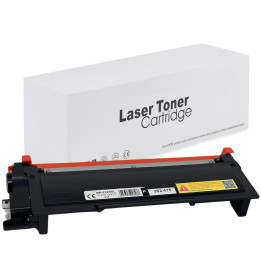
The product is delivered in a chipless version, which means that to properly report the level of consumption and operation of the device, it is necessary to transfer the original electronic system from the used OEM tank. Thanks to this solution, you eliminate the high cost of purchasing a new counting microprocessor, gaining an identical business printing specification at a fraction of the market price. The product is packed in ecological, neutral cardboard packaging (neutral box), which allows you to eliminate unnecessary marketing costs and offer the highest technical specification at an excellent price.
⚠️ IMPORTANT INFORMATION – NO CHIP VERSION:
This product does not have a factory-installed counting chip. For the printer to recognize the toner, you must carefully remove the chip from the original used HP toner and place it in the dedicated slot in the new cartridge. After installation, the printer may display a low dye level message (because the chip remembers the status of the previous cartridge), but the device will print fully correctly until the powder is physically exhausted.
Why choose Premium W2211X (207X) toner?
- Economic No-Chip solution: Allows you to drastically reduce the cost of color laser printing by using electronics from the old, original cartridge.
- Excellent quality of the Cyan shade: Specially selected pigment provides a vivid, deep shade of blue, free from streaks, stains or fading on the sheet.
- Increased XL efficiency: The chamber design allows you to print up to 2,450 A4 pages, which significantly reduces the cost of a single print and reduces technical downtime in the company.
- Neutral Box: Environmentally safe, economical cardboard packaging that effectively protects the cassette during transport and optimizes the final price of the product.
Technical parameters and specifications:
OEM code:
HP W2211X / 207X (chipless version)
Color:
Cyan (Cyan / Light Blue)
Type:
Laser toner (premium replacement with increased XL capacity)
Condition:
100% brand new (100% new)
Performance:
up to 2,450 A4 pages (at 5% page coverage)
Counting chip:
None (requires conversion from old toner)
Packaging:
Neutral box (ecological/industrial cardboard)
Compatible devices and printers:
The tray is fully compatible with the mechanical slot profile of the following HP color laser printers:
HP Color LaserJet Pro series laser printers:
• HP Color LaserJet Pro M255dw (M255 dw / M 255 dw)
HP Color LaserJet Pro MFP series:
• HP Color LaserJet Pro MFP M282nw (M282 nw / M 282 nw)
• HP Color LaserJet Pro MFP M283fdn (M283 fdn / M 283 fdn)
• HP Color LaserJet Pro MFP M283fdw (M283 fdw / M 283 fdw)
Packaging information and operating instructions:
The container is protected with an airtight, moisture-proof protective foil and a special air bag placed inside a stiff, neutral cardboard box. This protects the precise mechanical system and seals of the cartridge from logistical shocks and exposure to UV light.
Installation tip: Before placing the cartridge in the device, carefully insert the old chip into the dedicated mounting slot of the new toner. Then, holding the toner horizontally, gently shake it 5-6 times from side to side to perfectly loosen and evenly distribute the micropowder in the chamber. Finally, remove any orange shipping locks and pull out the entire securing tape in a smooth, steady motion (pulling the plastic loop on the side of the cassette until it is completely removed).


Comments (0)
Your review appreciation cannot be sent
Report comment
Report sent
Your report cannot be sent